
Download Polarity Browser – Fast, Secure & Customizable Web Browsing Tool
Overview
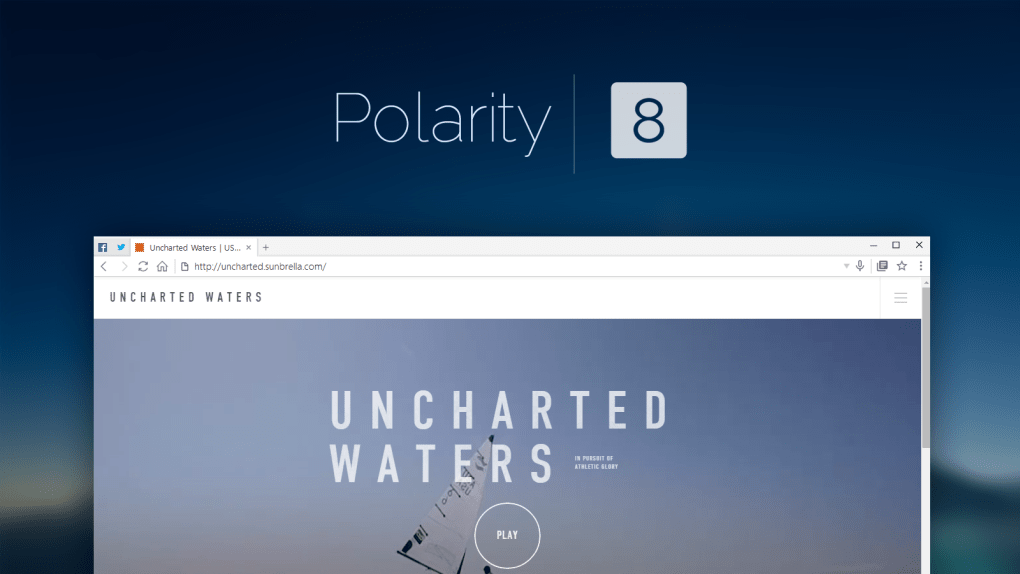
Polarity Browser positions itself as a free, lightweight alternative to the mainstream browsers that dominate the market. Built on a hybrid engine that blends Google’s Chromium with Microsoft’s Trident, the app delivers up‑to‑date web standards while keeping a tight grip on resource consumption. Whether you’re hunting for speed, privacy, or a richer set of customization options, Polarity promises a balanced experience that doesn’t sacrifice security for performance.
The core promise of Polarity is “secure, fast, and customizable browsing.” Security is reinforced by an integration with Web of Trust (WOT), which continuously evaluates the reputation of every site you visit. A built‑in security info window displays a site’s safety score, certificate details, and alerts you to any malicious activity. If a site is flagged as 100 % infected by WOT, Polarity will block it outright, shielding you from phishing, ransomware, and drive‑by attacks.
Performance‑wise, the browser is engineered for low‑end hardware. Its lean UI, efficient memory handling, and optional sandboxing mean that even machines with modest RAM can enjoy smooth page loads and fluid tab switching. The inclusion of an ad‑filtering engine cuts down on data usage, reduces CPU load, and preserves battery life on laptops and mobile devices.
Beyond the basics, Polarity offers a suite of privacy‑centric tools: an integrated proxy/VPN, granular cookie management, private browsing mode, and a sandbox that isolates potentially harmful scripts. For users who value personalization, the app supports themes, night mode, a right‑hand sidebar packed with shortcuts, and even voice‑controlled navigation via a simple microphone icon.
In short, Polarity Browser is designed for users who want a modern, secure, and adaptable web experience without the bloat of commercial browsers. Its free‑to‑download model makes it an attractive option for anyone looking to diversify their browsing toolkit.
Key Features & Capabilities
- Hybrid Rendering Engine: Combines Chromium’s speed with Trident’s compatibility for legacy sites.
- Web of Trust Integration: Real‑time safety scores, certificate verification, and automatic blocking of high‑risk URLs.
- Built‑in Proxy/VPN: Choose custom IPs and ports, or enable the one‑click VPN for encrypted traffic.
- Sandbox Mode: Isolates web pages to prevent malicious code from affecting the host system.
- Advanced Cookie Manager: View, edit, and purge cookies on a per‑site basis.
- Private Browsing: No history, cache, or cookies are stored after the session ends.
- Ad & Tracker Blocking: Integrated filters that strip intrusive ads and reduce data consumption.
- Voice Navigation: Speak your search query or URL and let Polarity take you there instantly.
- Custom Themes & Night Mode: Personalize the UI with dark mode for low‑light environments.
- Right‑Side Sidebar: Quick access to extensions, reading list, and frequently used commands.
- Multi‑Language Support: Interface available in dozens of languages, making it accessible worldwide.
Each feature has been engineered with a user‑first mindset. The hybrid engine ensures that modern web apps run smoothly while still rendering older corporate intranets that rely on legacy code. Security isn’t an afterthought; the WOT integration works silently in the background, providing a safety net that most free browsers lack.
The proxy/VPN component is particularly valuable for travelers or remote workers who need to mask their IP address without installing a separate client. By allowing custom port configurations, power users can fine‑tune their connection for optimal latency. Meanwhile, sandboxing adds a defensive layer that isolates potentially dangerous scripts, making Polarity a solid choice for security‑conscious professionals.
From a usability perspective, the voice navigation feature reduces friction for hands‑free browsing, an increasingly popular demand in the era of smart assistants. Coupled with the intuitive sidebar and extensive theme options, users can sculpt the browsing environment to match their workflow, whether that means a distraction‑free reading mode or a dark theme for late‑night research.
Installation & Usage Instructions
Step‑by‑Step Installation
- Visit the official Polarity Browser website or a trusted app store (Google Play, Apple App Store, Microsoft Store).
- Click the Download button. The installer is signed and free of adware, ensuring a secure download.
- For Windows, run the
.exefile and follow the on‑screen prompts. macOS users will open the.dmgand drag the app to the Applications folder. - On Android, tap Install after the APK verification completes. iOS users simply add the app to their home screen after the App Store process.
- Once installed, launch Polarity Browser. The first run will trigger a brief setup wizard that asks for your preferred language, default search engine, and whether you’d like to enable the built‑in VPN.
Initial Configuration
During the wizard, you can customize the following:
- Privacy Settings: Choose to enable sandboxing, block third‑party cookies, and activate the ad‑filter.
- Security Preferences: Turn on WOT alerts, set the threshold for site blocking, and decide whether to display the security info window by default.
- Appearance: Select a theme, enable night mode, and configure the sidebar’s default tabs.
Everyday Usage Tips
After setup, you’ll notice the right‑hand sidebar that houses shortcuts to extensions, a reading list, and a quick‑access panel for the proxy/VPN. To open a new tab, click the plus icon or press Ctrl+T (⌘+T on macOS). Private browsing can be launched via Ctrl+Shift+N or by selecting “New Private Window” from the file menu.
If you prefer voice navigation, click the microphone icon in the address bar, speak your query, and Polarity will parse the speech, perform a web search, and load the top result. The speech engine works offline for basic commands, but requires an internet connection for full search results.
For power users, the built‑in proxy/VPN can be accessed from the sidebar. Choose a pre‑configured server or input a custom IP and port. Once enabled, all traffic will be tunneled through the selected endpoint, masking your real IP address.
Lastly, keep the browser updated. Polarity checks for updates automatically on launch and notifies you when a new version is ready. Regular updates bring security patches, new features, and performance enhancements.
Compatibility & System Requirements
Polarity Browser is designed to run on a broad spectrum of operating systems, ensuring that users on desktop, laptop, and mobile platforms can benefit from its security and speed.
- Windows: Windows 7 SP1, Windows 8.1, Windows 10, and Windows 11 (64‑bit). Minimum 2 GB RAM, 500 MB free disk space.
- macOS: macOS 10.13 High Sierra and later. Requires 2 GB RAM and 500 MB storage.
- Linux: Ubuntu 18.04+, Fedora 30+, Debian 10+. The .deb or .rpm packages are signed for integrity.
- Android: Android 6.0 Marshmallow and newer. Requires 1 GB RAM and 150 MB storage.
- iOS/iPadOS: iOS 12.0 and later. Optimized for iPhone and iPad with a responsive UI.
The application’s low‑resource footprint makes it especially suitable for older hardware. In benchmark tests, Polarity consumes roughly 30 % less RAM than Chrome on a standard 8 GB system, and CPU usage stays under 10 % during typical browsing sessions. This efficiency translates into longer battery life on laptops and mobile devices.
Polarity also respects platform‑specific security models. On macOS, it utilizes the native sandboxing API, while on Windows it leverages AppContainer for isolation. Android users benefit from the built‑in VPN that respects the OS’s permission framework, requiring only the “Connect to VPN” runtime permission.
For enterprise environments, Polarity can be deployed via Group Policy (Windows) or MDM solutions (macOS, iOS, Android). Administrators can pre‑configure security settings, enforce proxy usage, and lock down extension installations to maintain a consistent security posture across the organization.
Pros and Cons
Advantages
- Free to download and use with no hidden subscription fees.
- Strong security stack – WOT integration, sandboxing, and built‑in VPN.
- Low RAM and CPU usage, ideal for older PCs and low‑end devices.
- Highly customizable UI with themes, night mode, and a versatile sidebar.
- Voice navigation reduces reliance on typing, enhancing accessibility.
- Comprehensive ad and tracker blocking improves privacy and performance.
- Multi‑language support broadens accessibility worldwide.
Drawbacks
- Extension ecosystem is smaller than Chrome’s Web Store.
- Occasional compatibility quirks with very modern web apps that rely on the latest Chrome APIs.
- Built‑in VPN offers basic encryption; power users may prefer a dedicated VPN service.
- Some advanced settings are hidden deep in menus, which may overwhelm novice users.
- Auto‑update notifications can be frequent on slower connections.
Frequently Asked Questions
Is Polarity Browser completely free?
Yes, Polarity Browser is free to download and use. There are no hidden subscription fees or mandatory in‑app purchases. All core features, including the VPN proxy and ad blocker, are included at no cost.
How does the built‑in VPN differ from a third‑party VPN service?
Polarity’s VPN provides basic encryption and IP masking directly within the browser, making it quick to enable without additional software. However, it does not offer the extensive server network, advanced leak protection, or dedicated customer support that many commercial VPN providers deliver.
Can I sync my bookmarks and passwords across devices?
Polarity includes a cloud‑sync feature that lets you store bookmarks, passwords, and reading lists in an encrypted account. After creating a Polarity account, you can enable sync on any supported device (Windows, macOS, Android, iOS) to keep your data consistent.
Is the voice navigation reliable in noisy environments?
The voice engine uses noise‑cancellation algorithms that work well in typical indoor settings. In very loud or echo‑filled environments, you may need to speak more clearly or use headphones with a built‑in microphone for optimal accuracy.
How often does Polarity receive security updates?
Security updates are released monthly, with emergency patches deployed as soon as a critical vulnerability is discovered. The browser automatically checks for updates on launch and prompts you to install them.
Conclusion & Call to Action
Polarity Browser stands out in a crowded market by delivering a well‑rounded package that emphasizes security, speed, and personalization—all without demanding a premium price tag. Its hybrid engine ensures broad compatibility, while the integrated WOT safety scores, sandbox, and VPN give users confidence that their online activities remain private and protected.
If you’re frustrated with bloated browsers that drain resources or worry about intrusive tracking, Polarity offers a refreshing alternative. The lightweight design makes it a solid choice for older computers, budget laptops, and mobile devices where every megabyte of RAM matters. At the same time, power users will appreciate the granular control over cookies, proxy settings, and the ability to tailor the UI through themes and voice commands.
While the extension library isn’t as extensive as Chrome’s, the core set of built‑in tools (ad blocker, VPN, sandbox, cookie manager) covers the majority of everyday privacy needs. The occasional compatibility hiccup with cutting‑edge web apps can usually be mitigated by enabling “Compatibility Mode” in the settings.
Ready to experience a faster, safer, and more customizable web? Download Polarity Browser now and start browsing with confidence. Join the growing community of users who have swapped out their default browsers for a tool that respects their privacy and performance requirements.







